


A Recipe for Peer-to-Peer Learning
In this Article
Even When No One’s Online at the Same Time
Two ideas have run through our July blogs so far. The first: just like in a textbook, content sitting on a platform doesn’t mean learning is going to happen. People learn when they do something, not so much when they click and scroll.
The second: interaction is what turns passive content into active learning. We introduced three types of interactions: learner-to-learner, learner-to-content, and learner-to-facilitator. You don’t need all three types of interaction in a course – one well-developed interaction type is enough to start.
Learner-to-content interaction is most often used in online courses, and most tools and activity types make this relatively easy to do. Although it is critical to learning, learner-to-facilitator and learner-to-learner interaction often feel out of reach online. In this week’s blog, we look specifically at learner-to-learner interaction or what we call Peer Learning. We’ll look at learner-to-facilitator interaction in later blogs.
Why Peer Learning Online Can Feel Difficult
Peer learning seems to belong in face-to-face spaces: small groups, a buzz of conversation, people bouncing ideas around a table, all resting on the assumption that everyone has to be present at the same moment. That assumption is where the awkwardness starts, because workplace and part-time students are rarely online together. They study around shifts, meetings, family, and the odd bout of load shedding. Unless your cohort is tiny, you’d have better luck watching the USA win the FIFA World Cup than getting everyone into an online space at once.
Peer learning is important. It’s how we make sense of things, by talking them through, comparing notes, and explaining our thinking to someone else. A good deal of research supports this, showing how social presence, the sense that there are real people on the other side of the screen, can meaningfully strengthen how learners engage and construct understanding together. Lose learner-to-learner interaction, and you risk losing one of the most powerful supports for that meaning-making.
Limina’s PinBoard Moodle Plugin
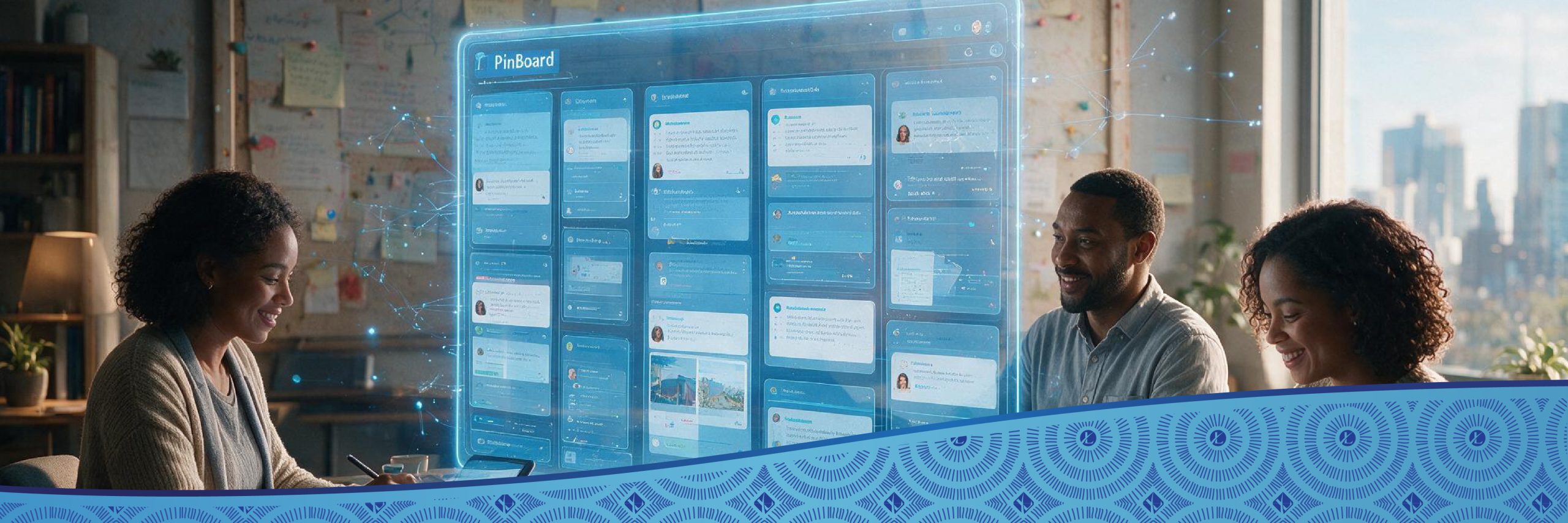
That gap, real peer-to-peer learning that doesn’t need everyone online at once, is exactly what Limina’s Tech and Innovation team set out to solve. The team created a virtual message board for Moodle where students could post messages, questions, comments or just generally engage with each other – we called these Pins.
Course creators can create a PinBoard in units for any course and post driving questions or problems for students to address. Students then post their Pins (responses) to the questions in the PinBoard and use a star rating or suggestions to respond to each other’s posts. What’s more, the results from the PinBoard are recorded, so lecturers, facilitators, or teachers can easily see who has engaged, comment on students’ responses, and even grade them if they want. Meaning, learning is not only confined to learner-to-learner interaction, but can also include learner-to-facilitator, i.e. Learning2!
Moodlers reading this are now thinking: “But Forums do exactly this!” and they’d be absolutely right. However, Forums are tremendously clunky and complicated to use. They were created when dial-up connection was still a thing! Our team used the thinking behind Forums and invented something that functionally supersedes this, creating a tool that will keep growing and supporting peer-to-peer learning and possibly much more!
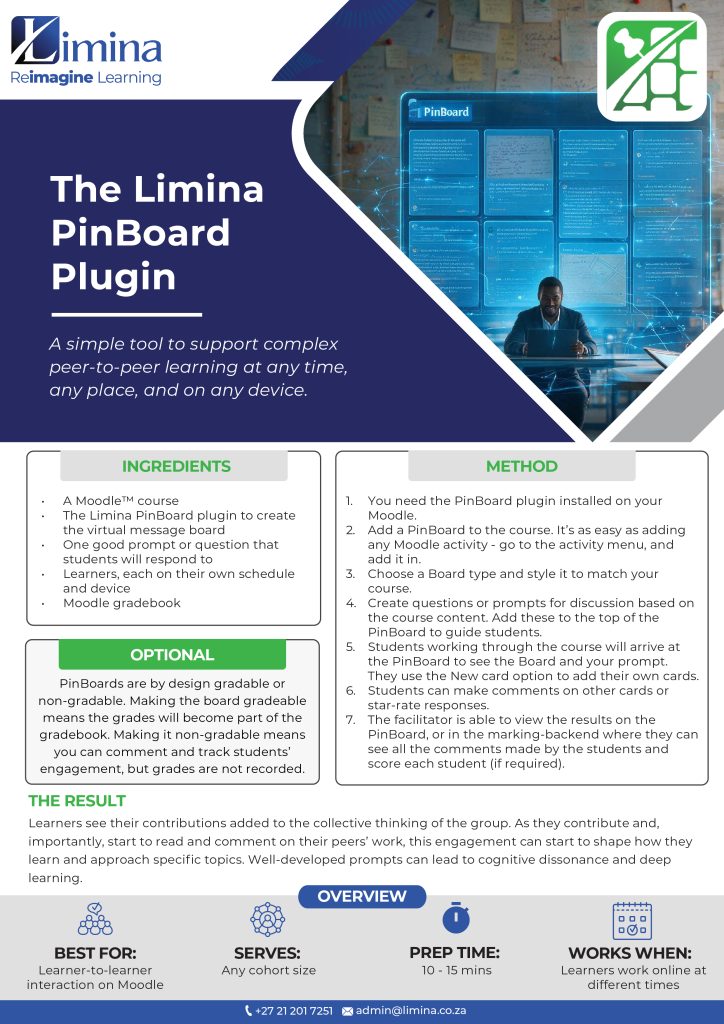
Recipe for Peer-to-Peer Learning Using Limina’s PinBoard Plugin
Limina’s Tech and Innovation team built a Moodle plugin we call PinBoard. We explain it in the form of a recipe, so you can see how it works in practice.
Why it works
The PinBoard plugin differs quite considerably from the Forum activity in Moodle. The PinBoard plugin’s layout is easy to use, with one click opening a response window to students. The Pins (comments) are visually displayed on a virtual message board as stand-alone topics, either in columns or randomly across the page. Different template designs also allow course developers to choose a layout and look-’n-feel that matches their course and LMS design. This layout and user interface makes contributing easy and asynchronous, meaning learners can add their thinking at 4 am or 11 pm and still be part of the conversation.
In conclusion
The PinBoard was designed to do one thing well: support peer learning by creating learner-to-learner interaction in a way that’s asynchronous, easy to use, and good to look at. We’ve tested it with over 600 teachers in one course (more about this in future blogs). It allows them to think ‘out loud’ and engage with each other. You can read more about this trial-by-fire in next week’s blog!
Get in touch
If you’d like to learn more about the PinBoard Plugin, or Moodle in general, book a free 30-minute consultation.
Get Your Complimentary Copy of Anderson’s Interaction Model
Subscribe to the Limina newsletter and receive a free copy of Terry Anderson’s Three Types of Interaction Model —a practical framework for designing more engaging and effective Moodle learning experiences.
Join our newsletter and download your complimentary guide today.
(Once you submit, it takes 10-15 min for the model to arrive in your inbox!)

Dr Isabel Tarling – CEO
Isabel Tarling is a learning sciences scholar, programme designer and education researcher, with a PhD from the University of Cape Town. Her research in online and technology-supported learning forms the foundation for much of her writing. She aims to build easy-to-understand bridges between evidence-based research and its everyday application in real-world contexts. Isabel is the founder of Limina, where these ideas are put to work to reimagine learning for organisations of all shapes and sizes.